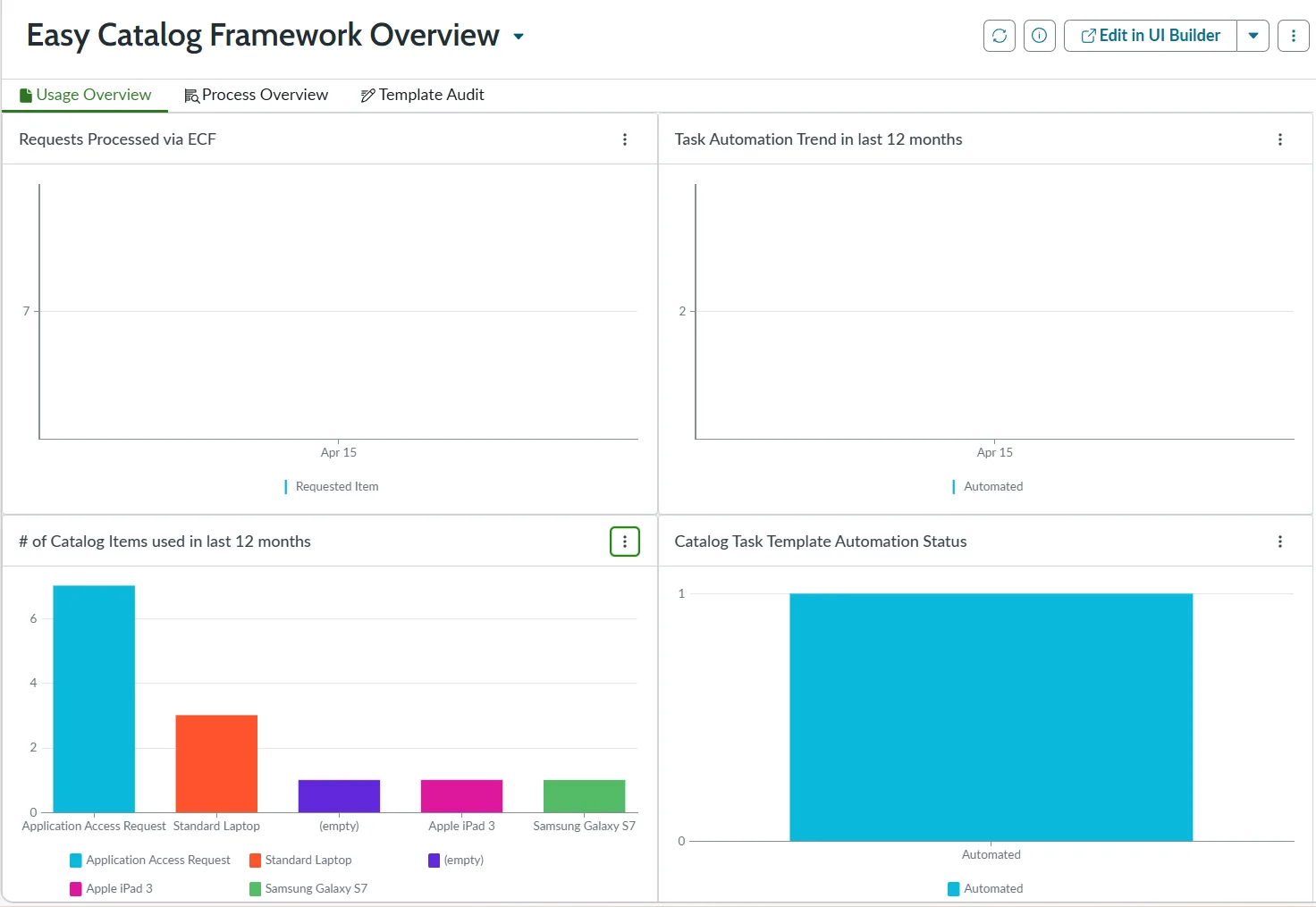
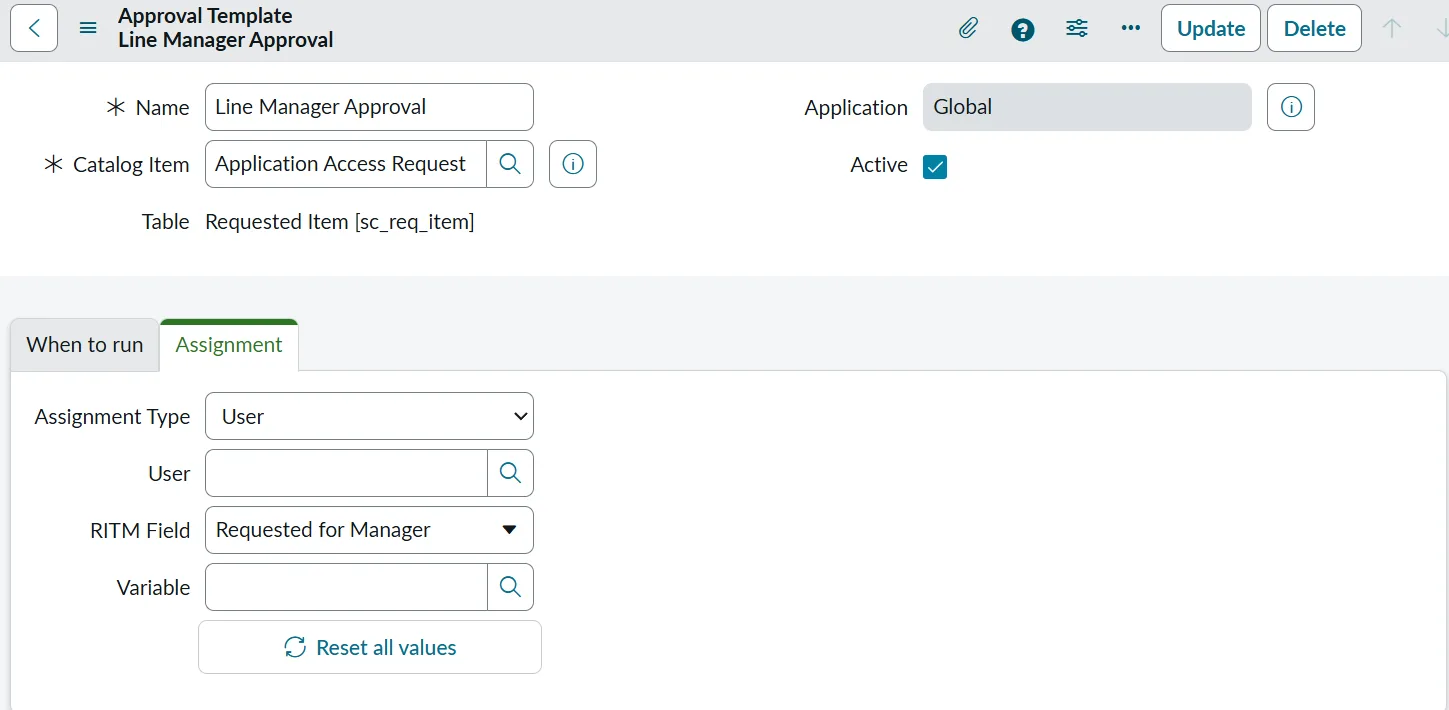
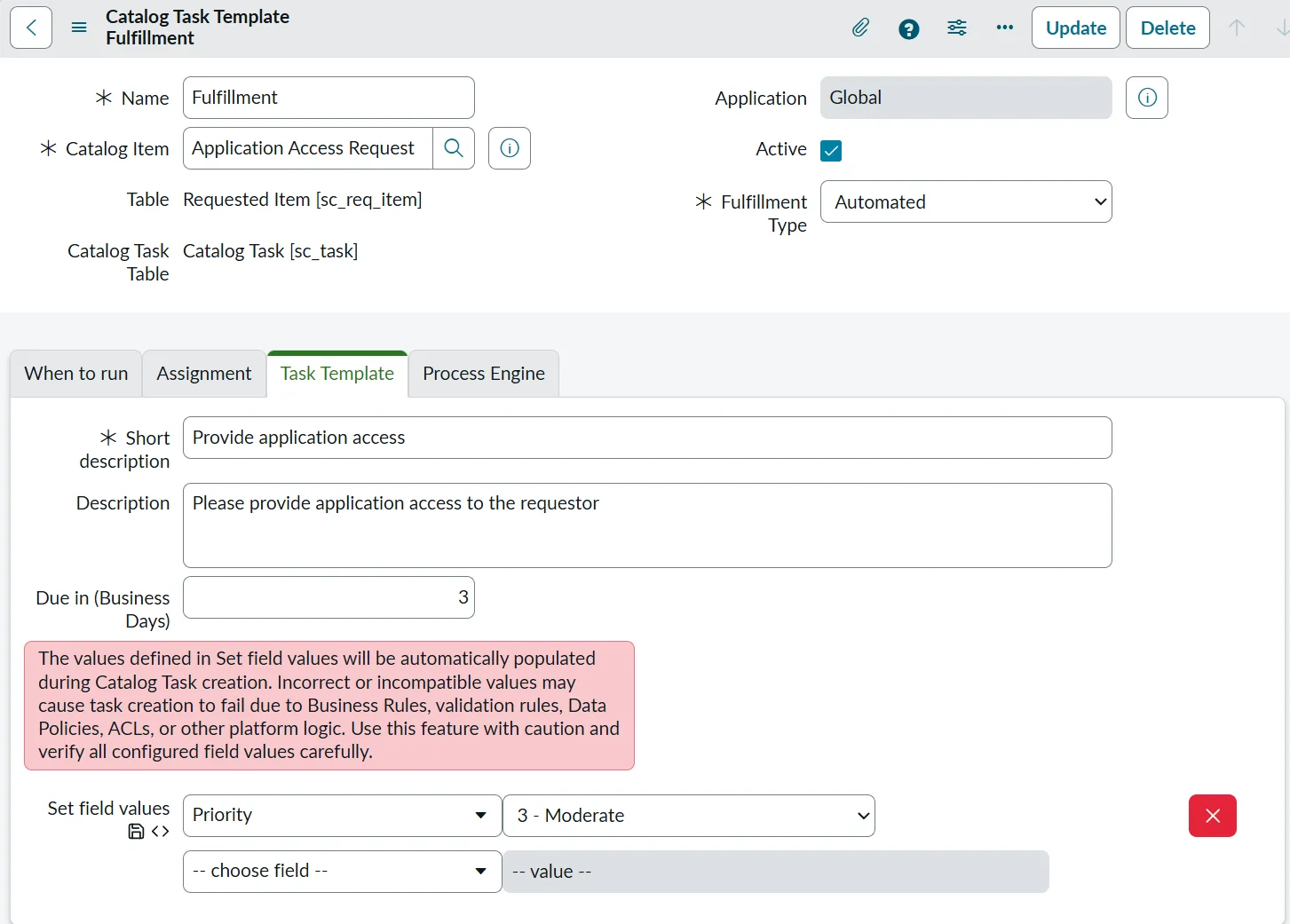
See ECF in Action
A look at the templates, automation, and reporting that power ECF inside ServiceNow. Click any screen to enlarge.
Standardise + Automate + Measure
Template-based Approval and Fulfillment process generation with operational visibility and reporting for faster, standardized Service Catalog delivery.
Without a standardized framework, every request becomes a bottleneck, draining resources and frustrating users.
Every catalog item becomes a mini-project. Approvals, tasks, and fulfilment logic are built from scratch each time.
Quality varies significantly by builder or team. It is difficult to enforce standards and governance across the catalog.
Automation logic is scattered and hard to scale. Maintenance becomes expensive as custom scripts accumulate.
Automation maturity is hard to quantify. Prioritising work and proving ROI to stakeholders is difficult without data.
A ServiceNow-native framework built around three pillars.
Eliminate inconsistency by using template-based patterns for approval routing and fulfilment across all catalog items.
Remove manual effort by automatically triggering pre-configured Flows or Workflows when catalog tasks are created.
Gain visibility into your catalog's performance with built-in tracking for automation maturity and ROI reporting.
One Framework. Two Template Types.
Build Flow
Define custom approval and fulfilment patterns for this catalog item
Set approvers, assignment groups, and conditions
Automatically create repeatable and consistent items
A look at the templates, automation, and reporting that power ECF inside ServiceNow. Click any screen to enlarge.
Transform manual steps into fully automated actions by linking standardized templates to powerful workflow engines.
Link a Flow Designer Flow or Workflow directly to a Catalog Task Template
When the task triggers, the linked automation runs immediately without human intervention
Extend automation to 3rd party systems via APIs, provisioning, and orchestration (AD / Azure / AWS)
Process definitions are no longer buried inside Flow logic — they live in searchable, reportable templates.
Knowledge is buried in Flows
"What is the approval chain for our Application Access request?"
"Add the Infrastructure Manager to the Firewall Change approval."
"What is the exact process for New Starter Onboarding?"
Definitions are embedded inside Flow logic, making them difficult to search and report at scale.
Templates become the Source of Truth
Enables Fast Extraction & Reporting of:
Track how automated each catalog item is and drive continuous improvement.
Fulfillment relies entirely on human tasks. No Flow attached.
Mixed process with some automated steps and some manual approvals.
Zero-touch fulfillment. Request is completed instantly via Flow/Workflow.
Strategic insights derived from maturity tracking data.
Spot high-volume items that are still manual to find the best automation opportunities.
Rank backlog items based on potential impact (Volume × Manual Effort).
Demonstrate maturity growth over time to stakeholders and prove ROI.
Transform catalog delivery efficiency by standardizing the build process.
Assumptions: 7 hours saved/item @ $150/hour internal rate
Capture value at every stage of the catalog lifecycle. Combine development efficiency with operational automation for maximum impact.
One-time savings realized every time a new catalog item is created using templates.
Recurring savings realized every time a user submits a request that is auto-fulfilled.
Start with 5–10 high-volume, high-pain catalog items to demonstrate immediate impact and quick wins.
Convert manual fulfillment steps into Automated Tasks using the native Flow/Workflow integration.
Use maturity reporting to identify new opportunities and drive continuous improvement cycles.
Solutions define outcomes. Platforms enable execution.
ECF is a ServiceNow-native application — installed and operated entirely within the Now Platform.
ECF is a ServiceNow plugin developed by IKC (Primoris NZ Limited) and published as an app on the ServiceNow Store. As the app's developer, IKC provides direct configuration support and product expertise — so you get it working in your environment, not just installed.
A. When you build approval and task logic directly inside Flow Designer, those definitions are embedded in the flow and hard to search, update, or report on at scale. ECF moves that logic into templates — reusable, reportable, and maintainable in one place. Changing an approval chain means updating the template once, not editing individual flows across dozens of catalog items.
A. Not necessarily. ECF can be adopted incrementally — starting with new catalog items or high-volume items that are still manual, while existing flows continue to run. The maturity tracking feature helps identify the best candidates to migrate first, based on volume and manual effort.
A. ECF's Fulfilment Templates can trigger any Flow Designer flow or Workflow, which means you can extend automation to any system reachable via ServiceNow — including Active Directory, Azure AD, AWS, and other 3rd party systems via APIs, provisioning, and orchestration.
A. To get started, request the free 30-day trial of ECF on the ServiceNow Store and use it directly in your own ServiceNow instance. IKC can help you configure templates and run a focused pilot during the trial period.
A. ECF is a ServiceNow Store application and runs on the Now Platform. You need an active ServiceNow instance to install and use ECF. See the ServiceNow Store listing for current compatibility and entitlement details, or speak with IKC for licence guidance specific to your environment.